
01. Project Overview
Onebrief is a collaborative planning and coordination tool designed to help teams organize and visualize project timelines, sync matrices, and task dependencies. It simplifies complex planning processes by offering an intuitive, user-friendly interface for streamlining communication and alignment across teams.
Problem statement:
Onebrief's timeline functionality was underutilized because it could not support many of the workflows planners relied on in PowerPoint and Excel. The challenge was not simply to add new features, but to increase adoption by creating a timeline experience that users trusted, relied on, and preferred over external tools.
Goals
Increase timeline adoption
Reduce reliance on PowerPoint and Excel
Improve trust through synchronization
Enable more advanced planning workflows
Team Information:
My Role: Lead product designer
The Team: 1 product manager, 1 engineering manager, 6 engineers
Tools: Figma. Claude Code
Early Results
65% timeline migration within one week
Average of 2.4 timezones per timeline
50% reduction in cards on exercise timelines
Increased use of Onebrief in commander briefings
02. Company overview
Onebrief revolutionizes military planning by providing an all-in-one tool that supports both the creative and process-oriented aspects of decision-making. It enables planners to use maps, boards, diagrams, timelines, slides, and written products—all within a shared, real-time database to ensure seamless synchronization. With its approach validated through hundreds of user experiments, Onebrief is already in widespread use at 8 of the world’s largest military headquarters and is responsible for building 75% of the largest operational plans in the U.S. military.
I joined Onebrief shortly after their Series-B venture round, playing a key role on team dazzle during a pivotal phase of the company's growth and product refinement. Dazzle owns the majority of surface level features - maps, timelines, whiteboards, documents, embeddable artifacts, etc.
03. Process
At Onebrief, product development follows Shape Up, a methodology created by Basecamp that organizes work into six-week delivery cycles. The fixed timeline forces teams to focus on solving the most important user problems while making intentional tradeoffs about scope and complexity.
Before a project enters a build cycle, a small shaping team - typically a designer, engineer, and product manager - works together to define the problem, identify technical and user experience risks, and align on a realistic approach. This upfront collaboration is critical: by the time development begins, the team has a shared understanding of the goals, constraints, and success criteria, allowing us to spend less time reprioritizing and more time executing.
For the timeline redesign, the shaping process was especially important because the project touched multiple planning workflows, introduced changes to the underlying data model, and required balancing immediate user needs with long-term platform goals. The early alignment between product, design, and engineering helped us identify risks quickly and make informed decisions about what could realistically be delivered within a single cycle.
04. Empathize
Understanding customer needs required a different approach than a typical SaaS product. Because Onebrief users often operate in classified environments, direct access to planners can be limited. To bridge that gap, I partnered closely with our Customer Relations team, who regularly work alongside users and collect feedback from training sessions, support requests, and customer visits.
Together, we reviewed existing timeline workflows, recurring customer feedback, and known areas of friction. Rather than focusing solely on requested features, I wanted to understand where users were struggling, what tasks required unnecessary effort, and why many planners continued to rely on external tools such as PowerPoint and Excel.
From these sessions, we compiled and prioritized a list of issues ranging from usability bugs and technical debt to high-impact customer requests and strategic product opportunities. This process helped us distinguish between isolated feature requests and broader workflow challenges, ensuring we focused our efforts on the problems most likely to improve the planning experience and increase adoption of the timeline product.
05. Define problem
After synthesizing our research, we prioritized the issues that were creating the most friction for planners and limiting adoption of the timeline product. While there were dozens of potential improvements, we focused on the areas that would have the greatest impact on user trust, workflow efficiency, and long-term platform adoption.
Live List Synchronization
Onebrief's core value proposition is seamless, real-time synchronization across the product suite - except for timelines.
Unlike documents, slides, and maps, timelines required users to manually create and maintain cards. As plans evolved, timelines frequently drifted from the source data, creating inconsistencies and reducing confidence in the information being presented.
This lack of synchronization created a significant adoption challenge. Users were hesitant to rely on timelines for operational planning because they could not trust the data to remain accurate. To increase confidence and encourage broader usage, timelines needed to become a fully connected part of the Onebrief ecosystem.
Flexible Timescales & Precision Zoom
Military planners rarely operate exclusively within a single timezone. However, the existing timeline only supported Zulu time, forcing users to perform constant mental conversions when planning and communicating across organizations.
As Onebrief expanded into more tactical planning workflows, the limitations became even more apparent. Users needed the ability to view plans from multiple timezone perspectives and coordinate events with greater precision. Without these capabilities, many planning activities continued to take place outside the platform, limiting adoption among advanced planning teams.
Event Dependencies
Operational plans are inherently interconnected. The timing of one activity often depends on the completion of another, creating chains of events that evolve as plans change.
Because timelines lacked dependency management, users were forced to manually update related events whenever schedules shifted. This process was time-consuming, error-prone, and difficult to scale for large operations.
The inability to model real-world planning relationships created friction for experienced planners and prevented timelines from supporting more sophisticated operational workflows.
Presentation-Ready Timeline Embeds
Timelines are frequently shared with commanders and stakeholders through briefings, reports, and embedded views. In many cases, these presentations serve as the primary way decision-makers consume planning information.
The existing embed experience created significant friction. Timelines often appeared truncated, display settings were difficult to configure, and users struggled to produce polished outputs without extensive manual adjustments.
As a result, users frequently turned to external tools to create presentation-ready artifacts. Improving embeds was critical not only for usability but also for increasing the value and visibility of timelines throughout the planning process.
07. Technical & Product Alignment
Before entering development, I partnered closely with the product manager to define a long-term vision for the timeline experience. Together, we identified the key user problems we wanted to solve, mapped the desired end state, and created interactive prototypes to align stakeholders around a shared direction.
As we began collaborating with engineering leadership, a critical tradeoff emerged. Within our six-week delivery window, we could either invest in rebuilding the underlying timeline data model or deliver a targeted set of customer-facing improvements that addressed the most immediate sources of user friction.
The decision extended beyond technical feasibility. Reworking the data model would create a stronger foundation for future capabilities, but it would delay solutions to several highly requested customer problems. Conversely, a lighter-weight implementation would allow us to improve adoption of the timeline product more quickly while validating whether users found value in the new functionality.
To ensure alignment, we presented both approaches to executive stakeholders, using interactive prototypes to illustrate the customer experience and clearly communicate the tradeoffs associated with each path. Ultimately, we chose to prioritize customer value and speed to market. This approach allowed us to address pressing user needs, validate demand through real-world usage, and generate near-term business impact while preserving the opportunity to make larger architectural investments in the future.
The exercise reinforced an important product principle: sometimes the best solution is not the most technically elegant one, but the one that delivers meaningful value to customers soonest while creating a clear path for future iteration.
08. Ideate & Design
Rather than moving directly from sketches into wireframes, I took a different approach on this project. While I still began with rough sketches to explore workflows and identify key interactions, I quickly transitioned into Claude Code to build interactive prototypes before creating high-fidelity designs in Figma.
This was my first project using AI-assisted prototyping, and it fundamentally changed how I approached design exploration. Instead of spending hours creating static wireframes, I could rapidly build realistic, interactive experiences that allowed users to click through workflows and react to actual system behavior. These prototypes became an invaluable validation tool, allowing us to test assumptions, uncover friction points, and gather feedback weeks earlier than traditional design workflows would have allowed.
The prototypes also accelerated decision-making across the team. Because stakeholders could interact with realistic workflows instead of reviewing static screens, we were able to align more quickly on feasibility, identify implementation risks, and validate whether proposed solutions would solve the underlying user problem. Rather than discussing designs through static mockups, we could review working interactions together, making it easier to align on technical feasibility, identify implementation challenges, and uncover edge cases before development began. By testing real behavior instead of idealized screens, I surfaced design flaws, dependency conflicts, and workflow gaps that would have been difficult to identify in Figma alone.
This prototype showcases the first phase of the timeline redesign: transitioning timelines to a list-based architecture. Users frequently abandoned timelines because they required manual maintenance and quickly became outdated. This prototype explored automatic synchronization with lists, reducing upkeep and increasing trust in timelines as a reliable planning source.
Because many of the challenges we were solving involved complex workflows rather than isolated screens, our primary goal during design was not to perfect the interface but to validate behavior. Each prototype was treated as an experiment designed to answer a specific question about user expectations, technical feasibility, or workflow adoption. This approach allowed us to quickly discard ineffective ideas and focus our efforts on solutions users consistently understood and valued.
Once the core interactions had been validated and the major edge cases resolved, I moved into Figma to formalize the experience. Because many of the larger workflow questions had already been answered, I was able to focus my design efforts on refining interactions, clarifying states, and polishing the details that would ultimately shape the user experience.
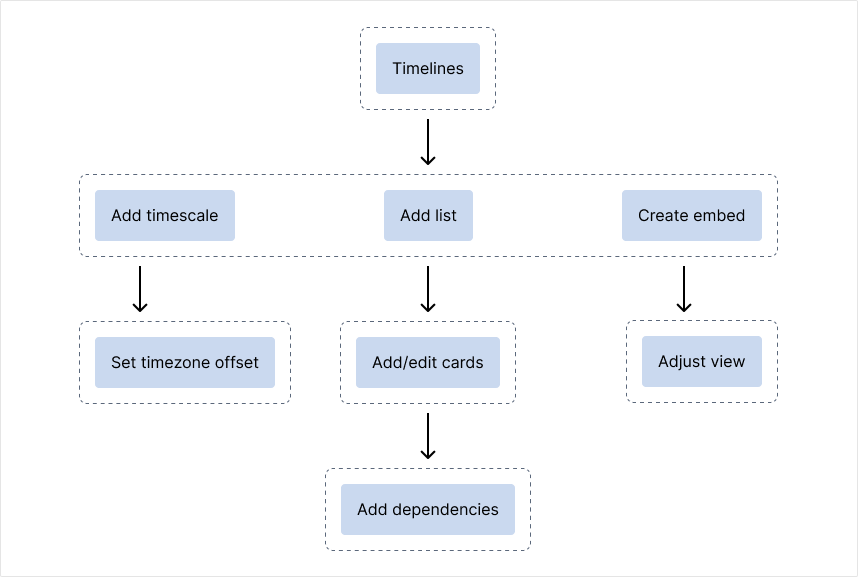
Designing the dependency model was by far the most challenging aspect of the project. We needed a solution that felt familiar to military planners, remained approachable for new users, and could scale to support increasingly complex planning scenarios. Every decision carried tradeoffs. The system needed to clearly communicate relationships between cards without overwhelming users with visual complexity. It needed to be flexible enough to support chains of dependencies and cascading updates while remaining predictable when plans inevitably changed.
A significant portion of the design process was spent evaluating how users would interpret dependency relationships, understand parent-child ownership, and anticipate the downstream impact of schedule changes. Through iterative prototyping and testing, we refined the interaction model until users could reliably predict how the system would behave. The final design established a foundation that supports today's use cases while creating room for future capabilities such as more advanced scheduling logic, dependency management, and automation.
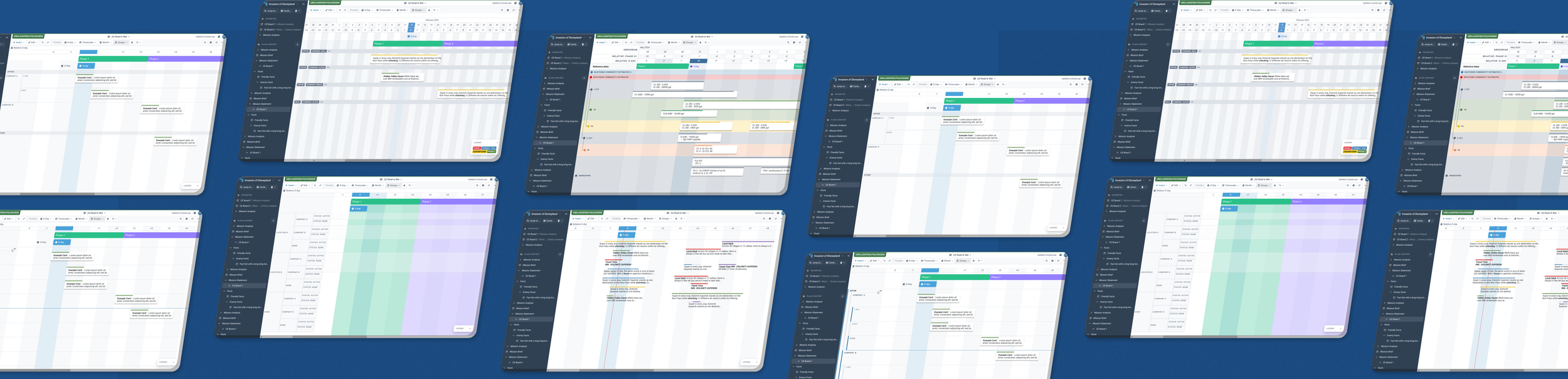
A selection of videos showcasing different design prototypes is included below. The prototype were built using Claude code and were used for engineering alignment and validation testing.
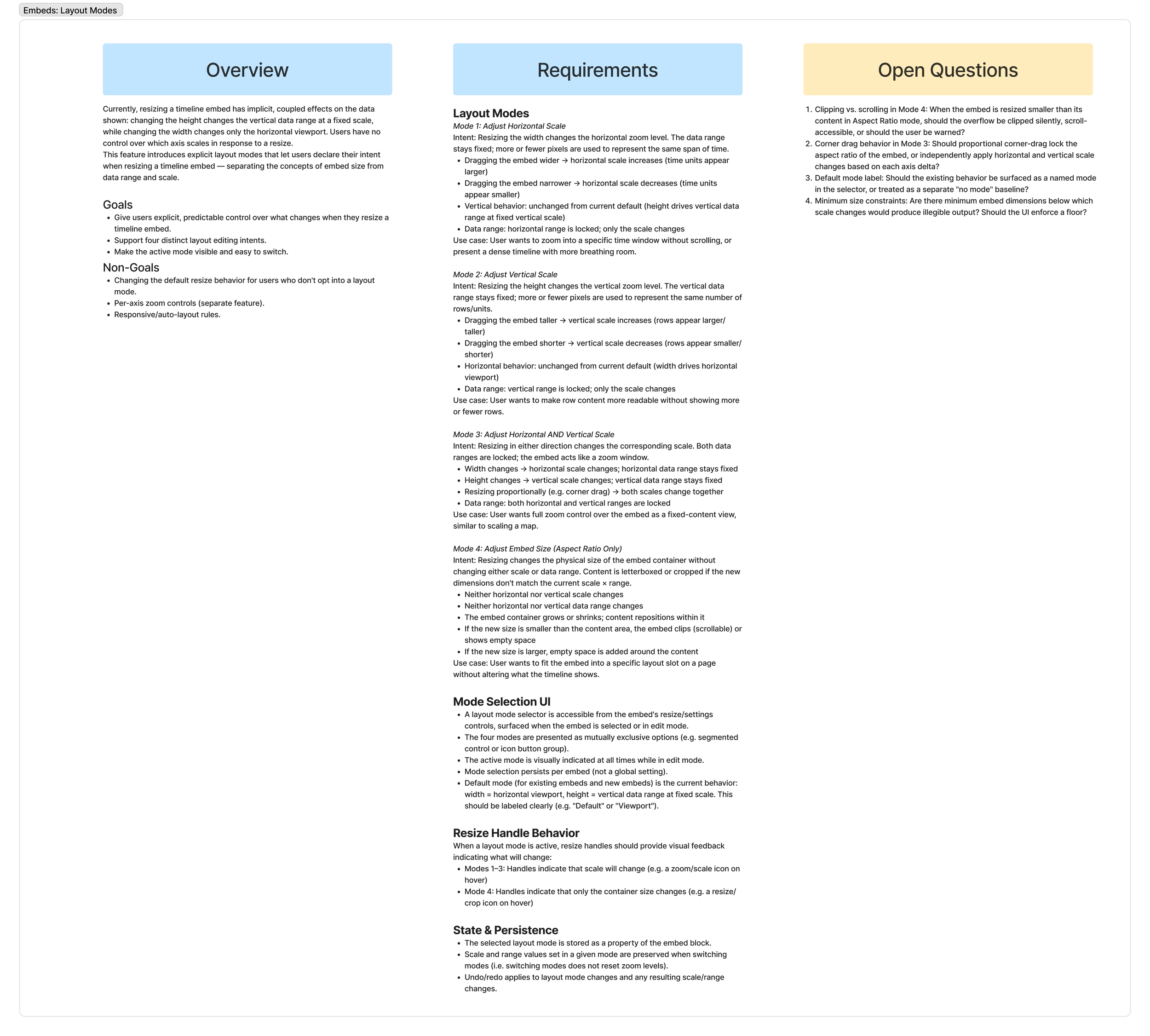
This prototype demonstrates the redesigned embed experience. Previously, large timelines were often clipped and display controls were difficult to find. Users frequently exported timeline data into external tools because embeds were difficult to configure and often displayed incomplete information. This prototype simplified setup and improved presentation quality, making it easier for users to share timelines directly from Onebrief.
Planning teams were forced to perform constant timezone conversions, slowing coordination and creating opportunities for error. This prototype explored multi-timezone support and precision scaling, allowing users to work in the context most relevant to their mission.
This prototype introduces two of the most requested planning capabilities: recurring dates and card dependencies. Planners often spent significant time maintaining duplicate events and manually adjusting interconnected schedules. This prototype reduced administrative overhead through recurring dates and dependencies, allowing users to manage complex plans with less effort and greater confidence.
09. Testing
Validating new features at Onebrief requires a different approach than most SaaS products. Because our users operate in classified environments, direct access to customers is limited and traditional product analytics are often unavailable. As a result, we rely on a combination of internal testing, customer-facing teams, controlled rollouts, and field observations to evaluate success.
Rather than waiting until the project was complete, we validated each capability incrementally as it was designed and built. Early prototypes were tested internally with the Customer Relations team against real planning scenarios, helping us identify workflow issues and refine the experience before exposing it to customers. Positive feedback from these sessions gave us confidence that we were solving meaningful user problems and justified expanding testing to external users.
To support a measured rollout, we introduced a feature flag system that allowed us to release functionality to small groups of planners before enabling it broadly. This effectively turned the rollout into a series of controlled experiments, allowing us to validate adoption, gather feedback, and reduce risk before scaling access.
One of the most valuable parts of the process was observing users in the field. Through customer visits and beta testing sessions, I was able to watch planners incorporate dependencies and recurring dates into active operational plans. These observations revealed workflow nuances, edge cases, and moments of confusion that would not have surfaced through prototypes alone. More importantly, they provided evidence that users were successfully integrating the new capabilities into their planning process.
Rollout presented its own challenges. Because customer environments exist on classified networks, releases do not reach every organization simultaneously. Some users receive updates within days, while others may wait weeks. This staggered deployment required us to think beyond launch day and treat adoption as an ongoing process rather than a single event.
The project reinforced an important lesson: shipping a feature is not the same as delivering value. Success was measured not by release date, but by whether planners adopted the new workflows, trusted the updated timeline experience, and incorporated it into their day-to-day operations. Continuous feedback, customer conversations, and field observations remain critical as the rollout continues.
10. Current Status
The timeline redesign is currently rolling out across customer environments, and early adoption signals have been encouraging. At commands where the upgrade has been fully deployed, 65% of timelines were migrated to the new model within the first week of release. This adoption rate is particularly significant because migration was not automatic—users were required to explicitly upgrade each timeline due to underlying data changes. Additionally, approximately 20% of plans are rarely accessed, with some only being opened once per year.
Usage patterns also indicate that planners are actively adopting the new functionality. Timelines now contain an average of 2.4 timezones, validating our assumption that planners regularly coordinate operations across multiple regions. Exercise timelines that previously relied on duplicated cards have seen the total number of cards reduced by nearly 50%, suggesting that recurring dates are replacing manual maintenance workflows and reducing planning overhead.
We are also seeing signs that the improved embed experience is changing user behavior. As timelines have become easier to configure, share, and present, more commanders are consuming planning information directly within Onebrief. This reduces the need for planners to recreate timelines in external tools such as PowerPoint and Excel, keeping more of the planning workflow within the platform.
While the core functionality has shipped, the project is far from complete. I continue to visit customer sites, observe planning workflows, and collect feedback from users operating in real-world environments. These sessions are helping us validate assumptions, identify opportunities for future improvements, and understand how the redesigned timeline experience influences long-term adoption.
Perhaps the most important lesson from this project is that shipping a feature is not the same as delivering value. Success is measured not by launch dates, but by whether users adopt new workflows, trust the system, and choose it over existing alternatives. The early results suggest we are moving in the right direction, but continued observation and iteration will remain critical as adoption grows.
11. Key Learnings
Trust drives adoption
Many of the challenges users experienced with timelines stemmed from a lack of confidence in the data. Features like live synchronization and dependencies were valuable not because they added functionality, but because they made timelines more reliable and predictable. Users are far more willing to adopt a tool they trust.
Interactive prototypes accelerate learning
Using Claude Code to build realistic prototypes fundamentally changed my design process. Instead of debating workflows through static mockups, we could test assumptions, identify edge cases, and gather meaningful feedback much earlier. The prototypes became a tool for learning, not just communication.
The best design decisions happen through cross-functional collaboration
Many of the project's most important decisions were not design decisions at all. Working closely with product and engineering allowed us to balance user needs, technical constraints, and business goals while making intentional tradeoffs about what to build now versus later.
Launch is the beginning, not the end
In defense environments, adoption happens gradually. Customer environments update on different schedules, direct access to users is limited, and success often takes months to fully understand. This project reinforced the importance of continued observation, customer visits, and post-launch validation long after a feature ships.